{"section":"tutorials","requestedLocale":"en","requestedSlug":"promotion-list-beta","locale":"en","slug":"promotion-list-beta","path":"docs/en/tutorials/promotions-and-taxes/promotions/promotion-list-beta.md","branch":"main","content":"The VTEX platform lets you add different promotion types for different scenarios. Through a centralized interface for managing promotions, your store can offer more benefits focused on customer attraction and retention.\n\nThe **Promotions** module is flexible when it comes to creating promotion scenarios with specific conditions for different contexts. Besides filtering and exporting promotions, you can view the active ones and archive them.\n\nAccess the page in the VTEX Admin at **Promotions > Promotions**.\n\nThe page displays the list of your store's promotions and their basic information:\n\n| Field name | Description |\n|---|---|\n| `Name` | Promotion name. |\n| `From` | Promotion start date. |\n| `To` | Promotion end date. |\n| `Status` | Promotion status, which can be: __Active:__ when a promotion is active. __Scheduled:__ when the promotion is scheduled. __Paused:__ when the promotion is paused. __Completed:__ when the promotion ended. |\n\n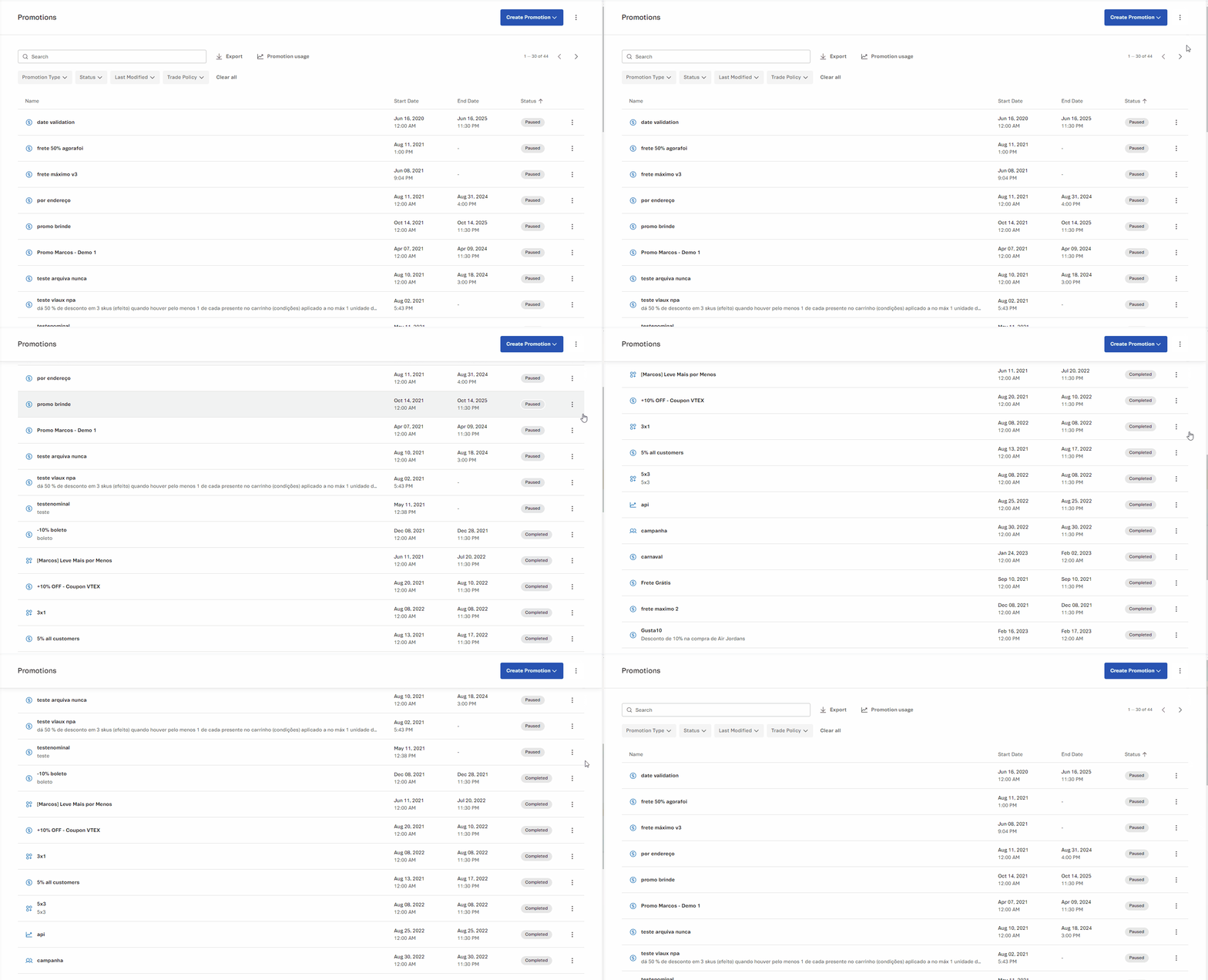\n\nYou can sort the promotions by name, date, or status. To do this, click on the title of the column with the information you want to use as sorting criteria.\n\nAll the features available on the page will be described in the following sections:\n\n- [Creating promotions](#creating-promotions)\n- [Archived promotions](#archived-promotions)\n- [Searching promotions](#search-promotions)\n- [Exporting promotions](#export-promotions)\n- [Promotion usage](#promotion-usage)\n- [Filtering promotions](#filter-promotions)\n- [Action menu in the promotion list](#actions-menu-in-the-promotion-list)\n\n## Creating promotions\n\nTo add a new promotion, click the `Create Promotion` button. Then, you can select the following types of promotions: \n\n- [Regular](/en/docs/tracks/creating-regular-promotions)\n- [Buy Together - Bundle](/en/docs/tutorials/buy-together)\n- [More for Less](/en/docs/tutorials/creating-a-more-for-less-promotion)\n- [Progressive Discount](/en/docs/tutorials/progressive-discount)\n- [Buy One Get One](/en/docs/tutorials/buy-one-get-one)\n- [Campaign Promotion](/en/docs/tutorials/campaign-promotion)\n\n## Archived promotions\n\nTo access the **Archived Promotions** page, click the icon and then . \n\nYou can unarchive or duplicate archived promotions by clicking the icon. When you unarchive a promotion, its status will change to `Paused`.\n\n## Search promotions\n\nYou can use the search bar to search for a specific promotion by name, description, or UTM.\n\n## Export promotions\n\nYou can download a CSV file with the promotions available in your store and their respective information. To do this, click the `Export` button next to the search bar. The exported file considers the filters applied to the list and does not include archived promotions.\n\nThe file contains the following information about each promotion:\n\n| Column | Description |\n|---|---|\n| `ID` | The promotion ID. |\n| `Name` | The promotion name. |\n| `Discount Type` | Type of discount applied in the promotion. |\n| `From` | The promotion start date. |\n| `To` | The promotion end date. |\n| `Status` | The current promotion status. Possible options are **Active**, **Scheduled**, **Paused**, or **Completed**. |\n\n## Promotion usage\n\n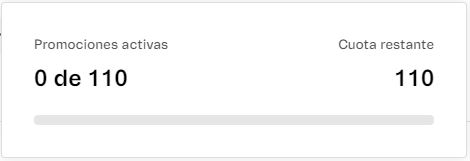\n\nTo view the total of your active promotions and the remaining quota for new promotions, click `Promotion usage`. \n\nBy default, the maximum number of active promotions is 100. If you need to increase this limit, please contact [our Support](https://support.vtex.com/hc/en-us/requests).\n\n## Filter promotions\n\n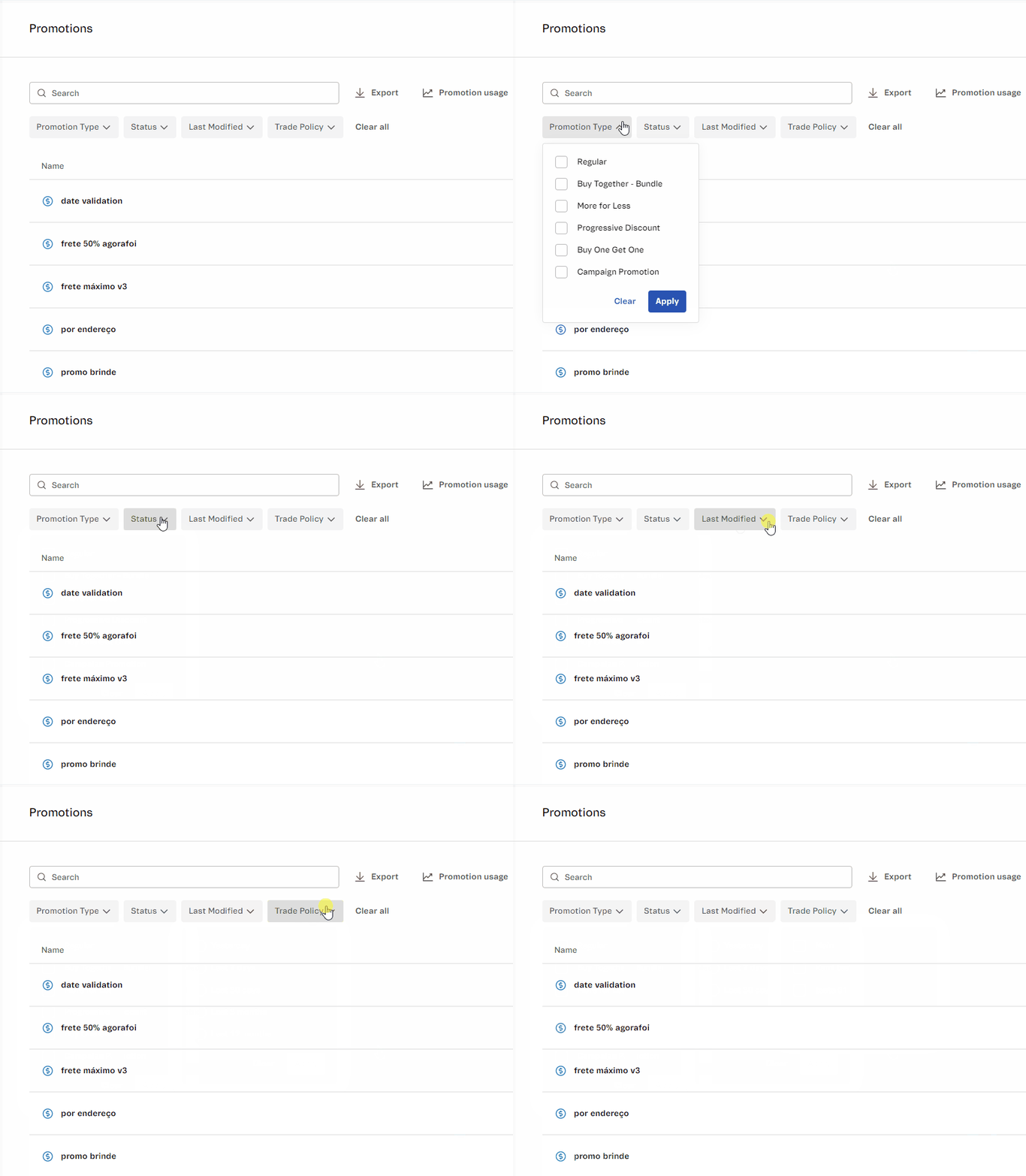\n\nThe promotion list can be filtered according to your needs by using the following filters:\n\n- **Discount type:** The type of discount that will be applied to the promotion. The options are: [Regular](/en/docs/tracks/creating-regular-promotions), [Buy Together - Bundle](/en/docs/tutorials/buy-together), [More for Less](/en/docs/tutorials/creating-a-more-for-less-promotion), [Progressive Discount](/en/docs/tutorials/progressive-discount), [Buy One Get One](/en/docs/tutorials/buy-one-get-one), and [Campaign Promotion](/en/docs/tutorials/campaign-promotion).\n- **Status:** The status of the promotion. The options are: `Active`, `Scheduled`, `Paused`, and `Completed`.\n- **Last modified:** Last modified in the last 12 months, 3 months, 30 days, 7 days, or yesterday.\n- **Sales channel:** Sales channel to which the promotion will be applied.\n- **UTM:** URL parameters used to track traffic. The options are `With UTM` and `Without UTM`. \n\nSelect the desired filters and click on `Apply` to filter the promotions. To cancel the selection, click on `Clear` on the desired filters.\n\n## Actions menu in the promotion list\n\nBy clicking on the icon in a promotion, you can perform the following actions:\n\n- __Edit:__ edit the promotion.\n- __Deactivate:__ pause the promotion.\n- __Duplicate:__ create a copy of the promotion.\n- __Archive:__ archive the promotion. The promotion will automatically be moved to the *[Archived Promotions](#archived-promotions)* page."}