{"section":"tutorials","requestedLocale":"en","requestedSlug":"managing-pages","locale":"en","slug":"managing-pages","path":"docs/en/tutorials/storefront/headless-cms/managing-pages.md","branch":"main","content":"In **Headless CMS (Legacy)**, you can manage all the URL routes and page templates for your store's website, including the `Global Alert Page` `Page`,`Product Page`. You can also create and link custom pages to predefined templates and manage pages created directly in the source code of your storefront project.\n\n## Overview\n\n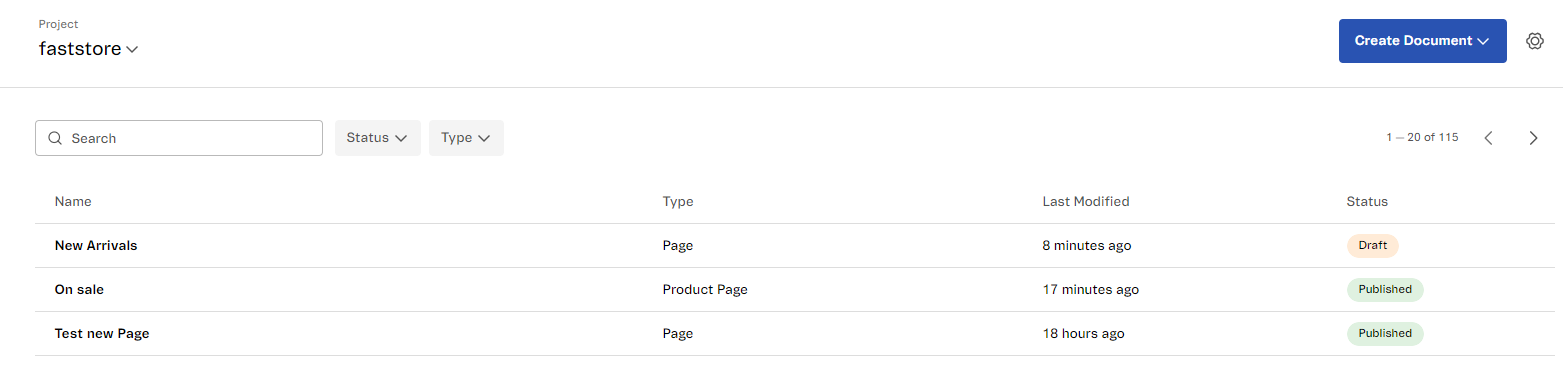\n\n| Option | Description |\n| -------------- | ----------------------------------------------------- |\n| Create Document | Creates a new page based on the options available, e.g., `Product Page` or `Home`. |\n| Settings (⚙️) | Opens a modal that displays project configurations organized into three tabs: - **General:** Edits the project ID and API settings or archives the project.
- **Content-Types:** Saves the content types created in the source code in the Headless CMS (Legacy). **\\{Qual o significado dessa tela?\\}**
- **Build:** Connects the CMS project with your code source through webhooks by setting up the content types and sections.
|\n| Search | Searches specific pages within the project. |\n| Status | Filters the pages according to their status: - `Published`: Pages that are published and already available in the live store.
- `Draft`: Pages that are in draft with work in progress and haven't been published yet.
|\n| Type | Filters the pages according to their content type. The content types are defined in your store code. For more information, see [Adding Content Types to the Headless CMS (Legacy)](https://developers.vtex.com/docs/guides/faststore/headless-cms-3-adding-content-types-and-sections#step-2-adding-content-types-to-the-headless-cms). |\n\n## Creating a new page\n\nTo create and manage a page, follow these steps:\n\n1. In your VTEX Admin, access **Headless CMS (Legacy)**.\n> ⚠️ Make sure you are in the correct project. If not, go to the **Project** menu in the upper left corner, select the name of the project where you want to create the page, and continue to step 2.\n2. Click `Create document` and select the desired page type. \n\n3. Under `Untitled`, name the page.\n\n4. Click on `Sections` and select the desired section.\n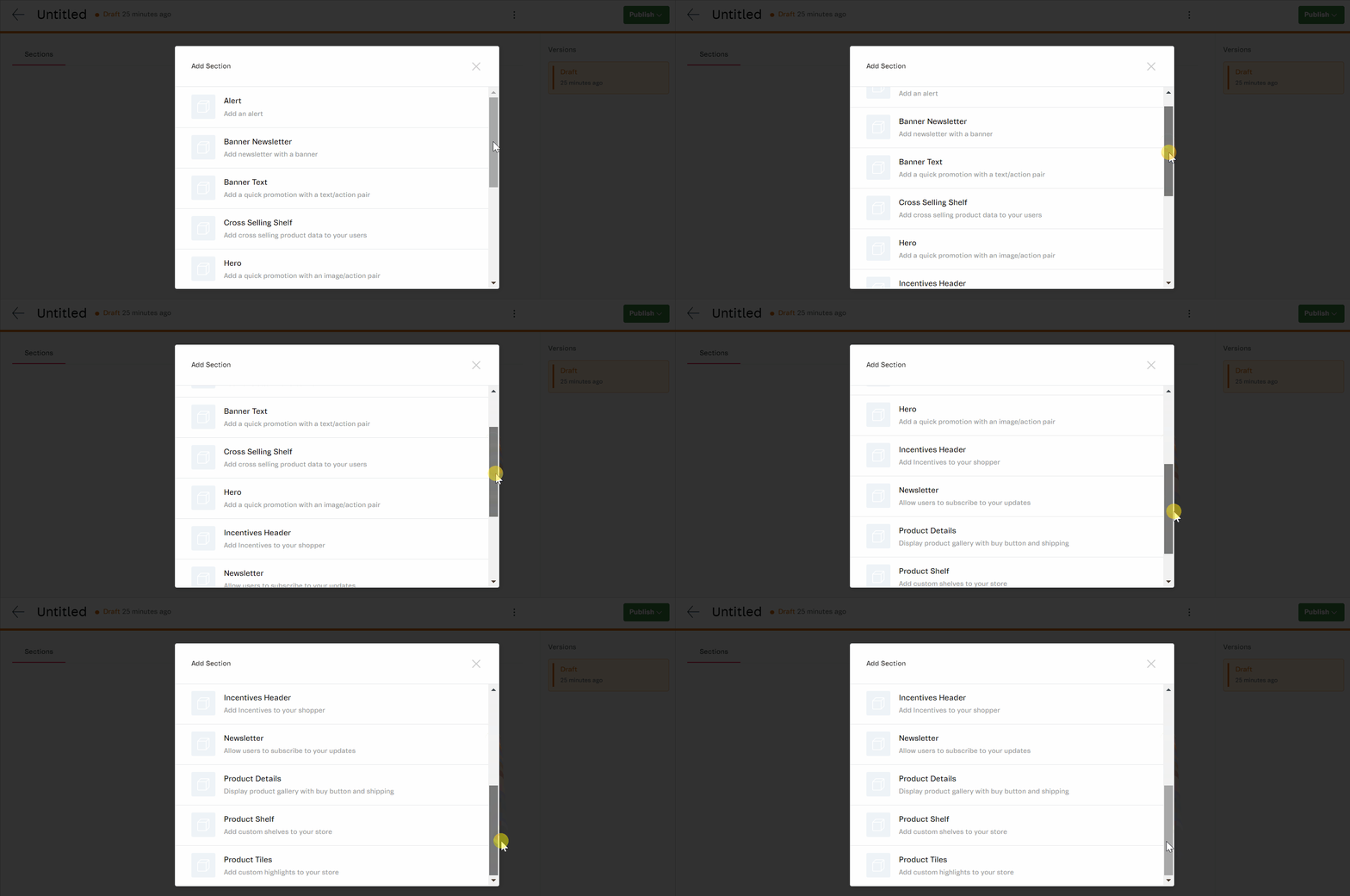\n5. Add more sections if needed and fill them out.\n\n6. Click `Publish`. \n\nTo duplicate or delete the page, click on the **More actions** menu (`⋮`) of the page."}