{"section":"tutorials","requestedLocale":"en","requestedSlug":"indexing-history","locale":"en","slug":"indexing-history","path":"docs/en/tutorials/intelligent-search/intelligent-search-overview/indexing-history.md","branch":"main","content":"**Indexing history** is the page that monitors the synchronization status of all products in the Catalog sent to Intelligent Search. It provides a broad view of the indexing progress of your store.\n\n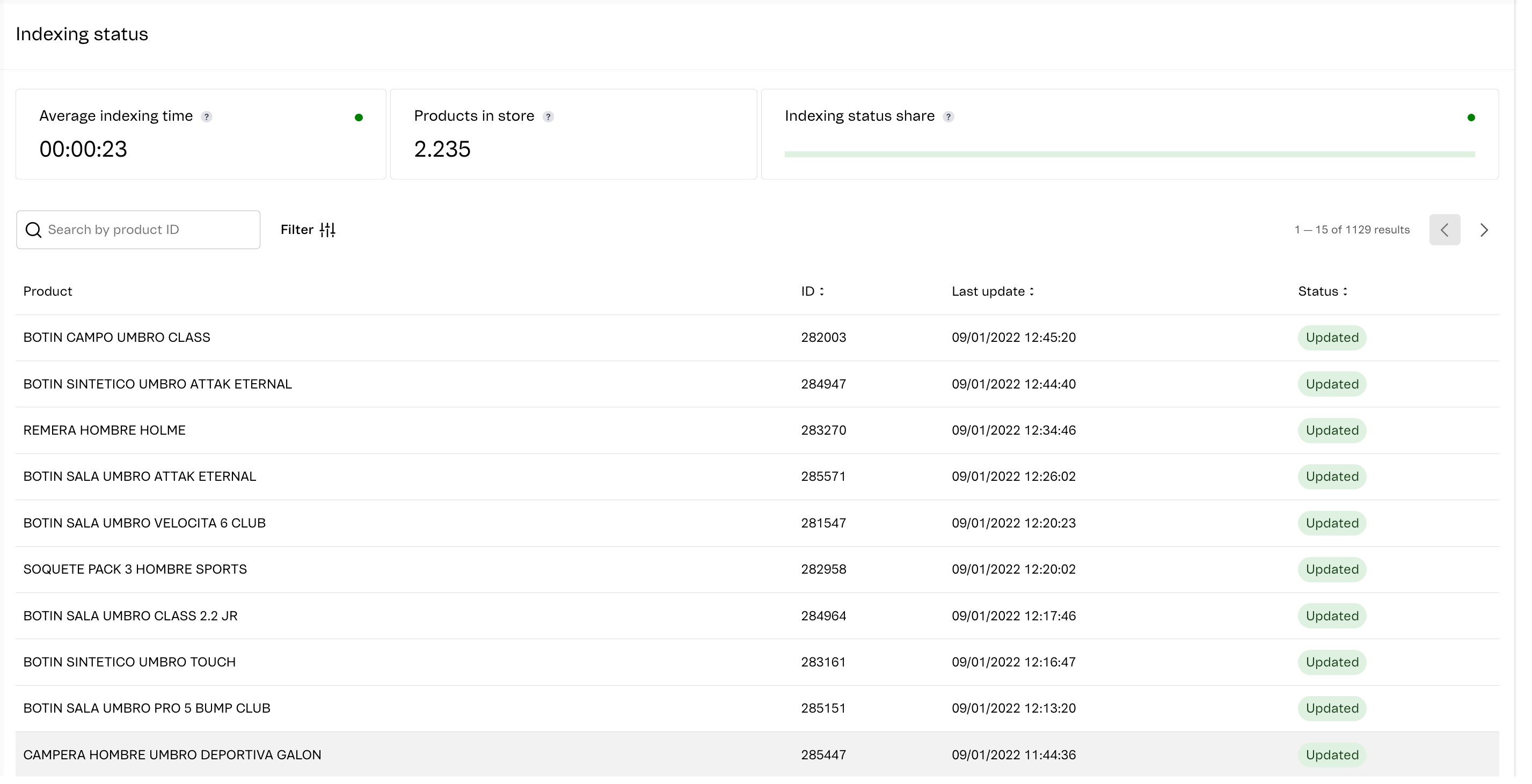\n\nThe **Indexing status** section displays the following information:\n\n* **Average indexing time:** The average time for products to be indexed, from the time the system received the change notification to the in-store update. Indexing time performance is measured by a green (healthy) or red (bad) dot. \n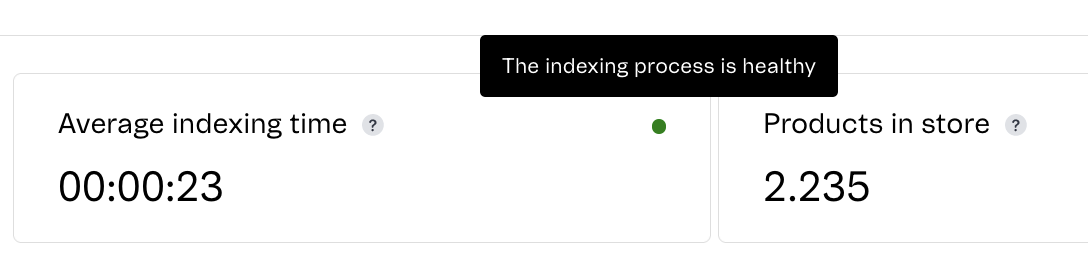\n* **Products in store:** Quantity of products with up-to-date information currently displayed in the store.\n* **Indexing status share:** The percentage of products in each indexing step. Status breakdown performance is measured by a green (healthy) or red (bad) dot. The steps displayed are:\n * **Updated:** Latest product update has been entered in the store.\n * **Updating:** New product information is being prepared and entered into the store.\n * **Error**: Means that an error occurred during indexing. There was a problem adding the product and it cannot be indexed. If it is a new product, it will not be available in the store.\n\nYou can filter the list of indexed products for a custom view. It is important to note that the average indexing time and status breakdown will be recalculated from the products filtered. \n\nTo filter the list of indexed products, click on `Filter`  . Select `Status` or `Indexing time` to set the filtering criteria. \n\n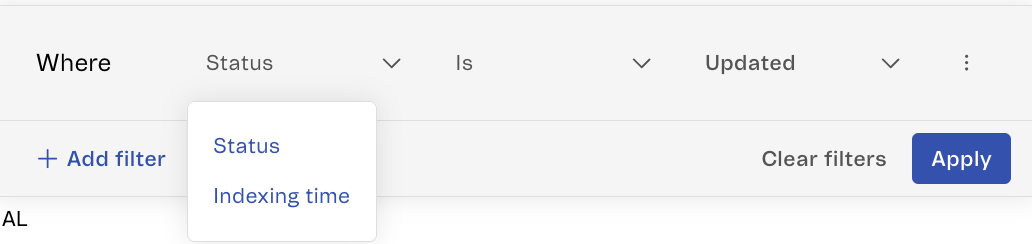\n\nIf you filter by `Status` you can select which status you want to filter by, which could be `Updated`, `Updating`, `Error`.\n\n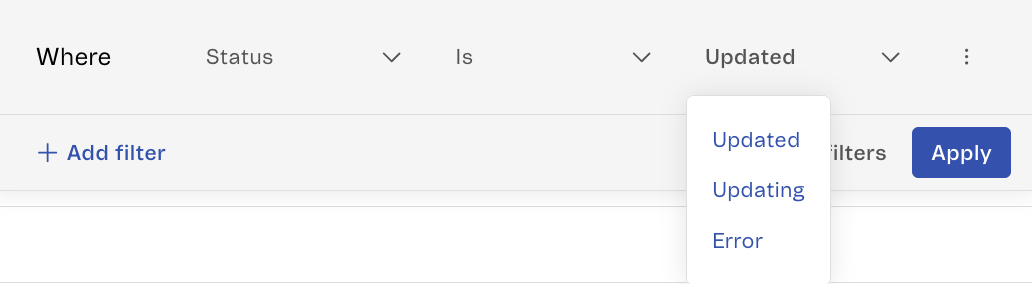\n\nIf you filter by `Indexing time` you can select whether the time interval `Is greater than`, `Is equal to or greater than`, `Is shorter than` or `Is equal to or less than` a defined time.\n\n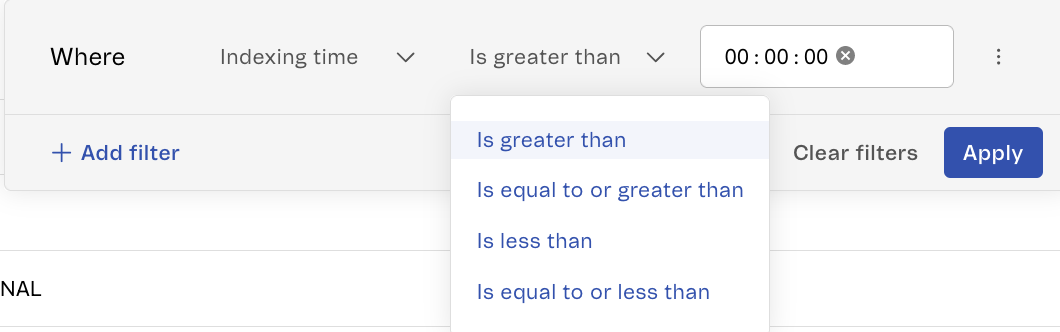\n\nAfter defining the filter, click `Apply` to activate it. \n\nTo add a new filter, click `Add filter`. To remove the configured filters, click `Clear filters`.\n\nYou can also filter the products displayed in the listing by **ID**, **Last update** and **Status**, by clicking on the desired column. To find a specific product in the list, you can search by ID in the search bar.\n\nIf you want more information about the indexing of a specific product, you can click on the product row in the table to access a page that contains more details, as illustrated below.\n\n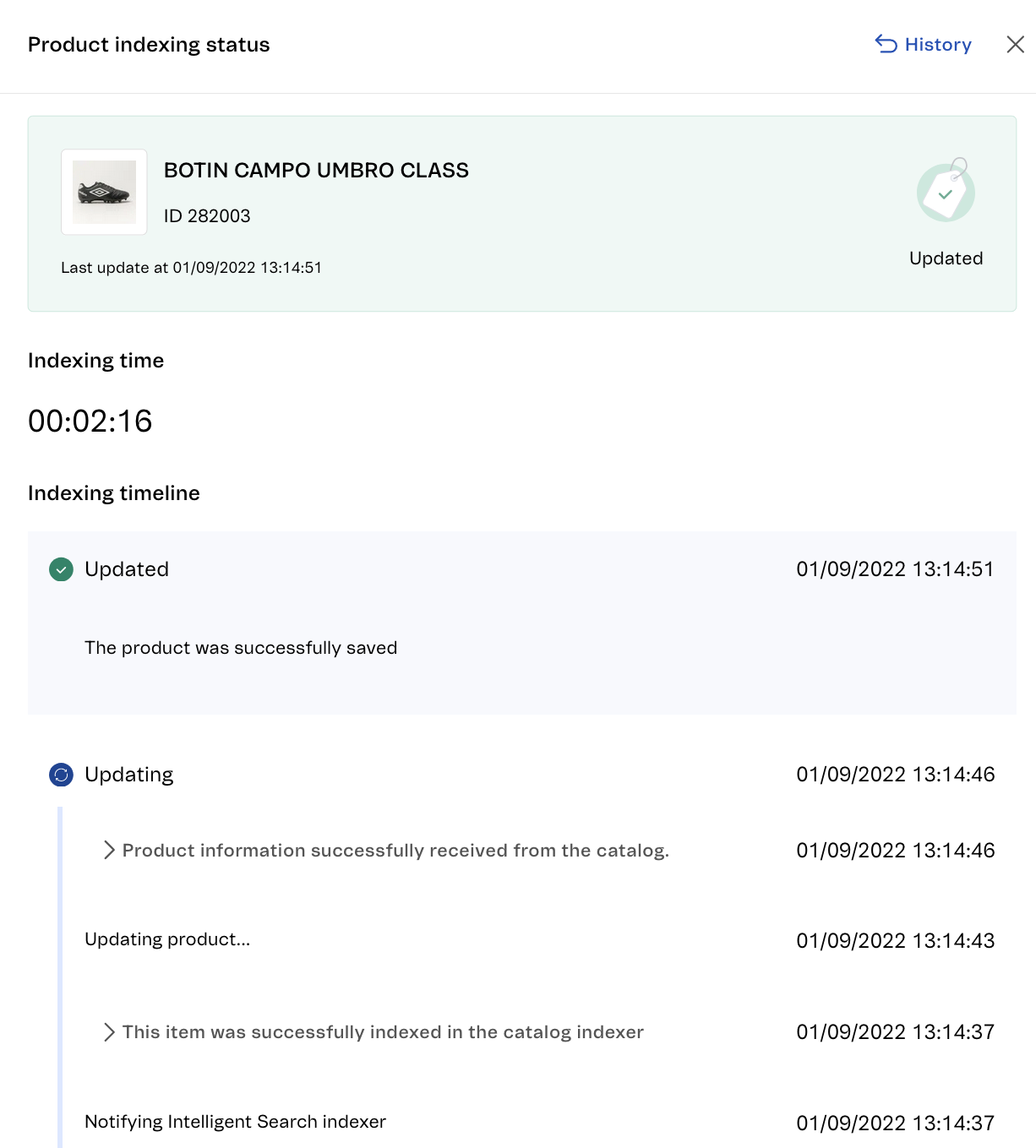\n\nIn addition to the information displayed in the product list, you can also see:\n\n* **Indexing time:** Is an entry of how long the product indexing lasted using the `hh:mm:ss` format.\n* **Indexing timeline:** Shows a log of every status change with date and time. You can view more details of each step by clicking the icon.\n\n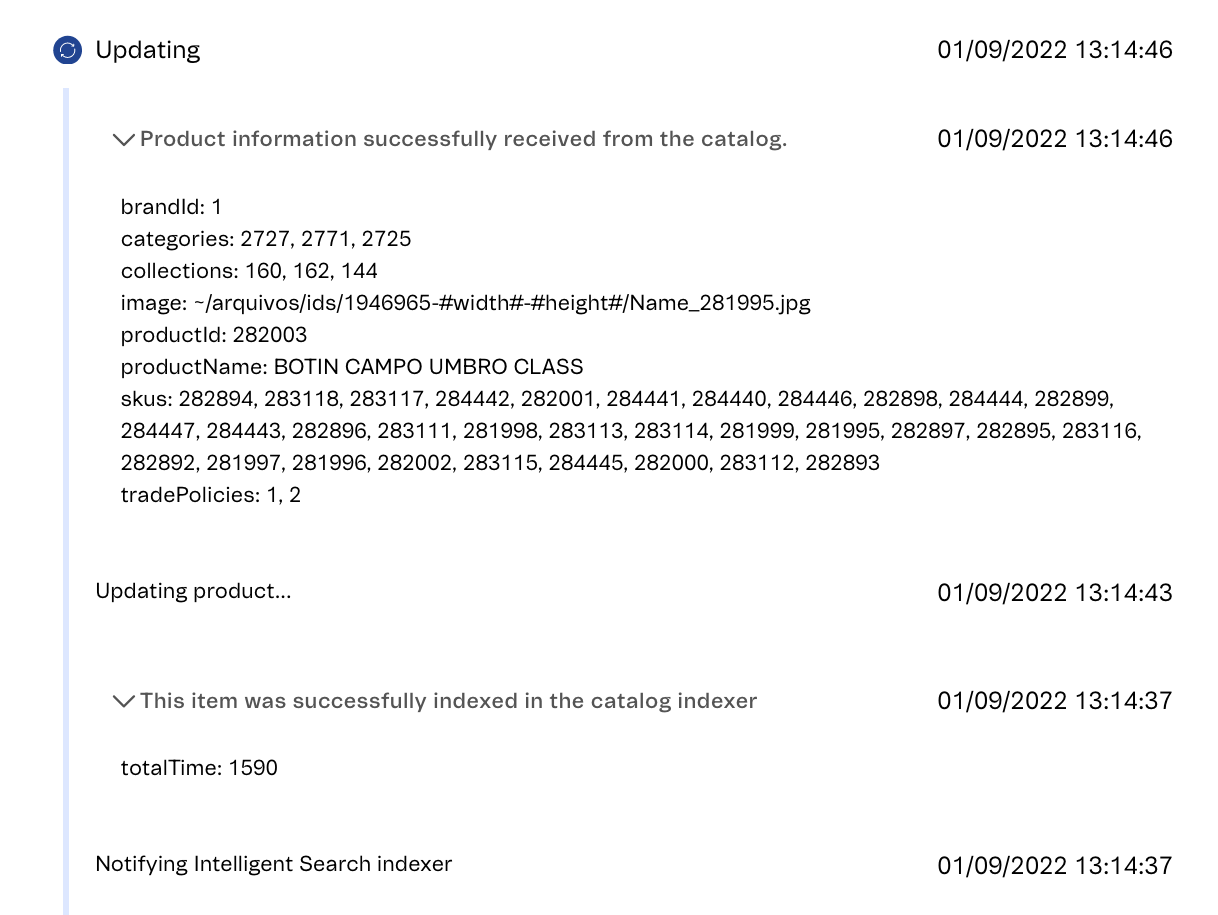\n\nYou can access the product **Indexing history**, a list with the date and time of each update performed. Therefore, it is possible to have a record of every change that was made to the product. To access it, click `History`. \n\n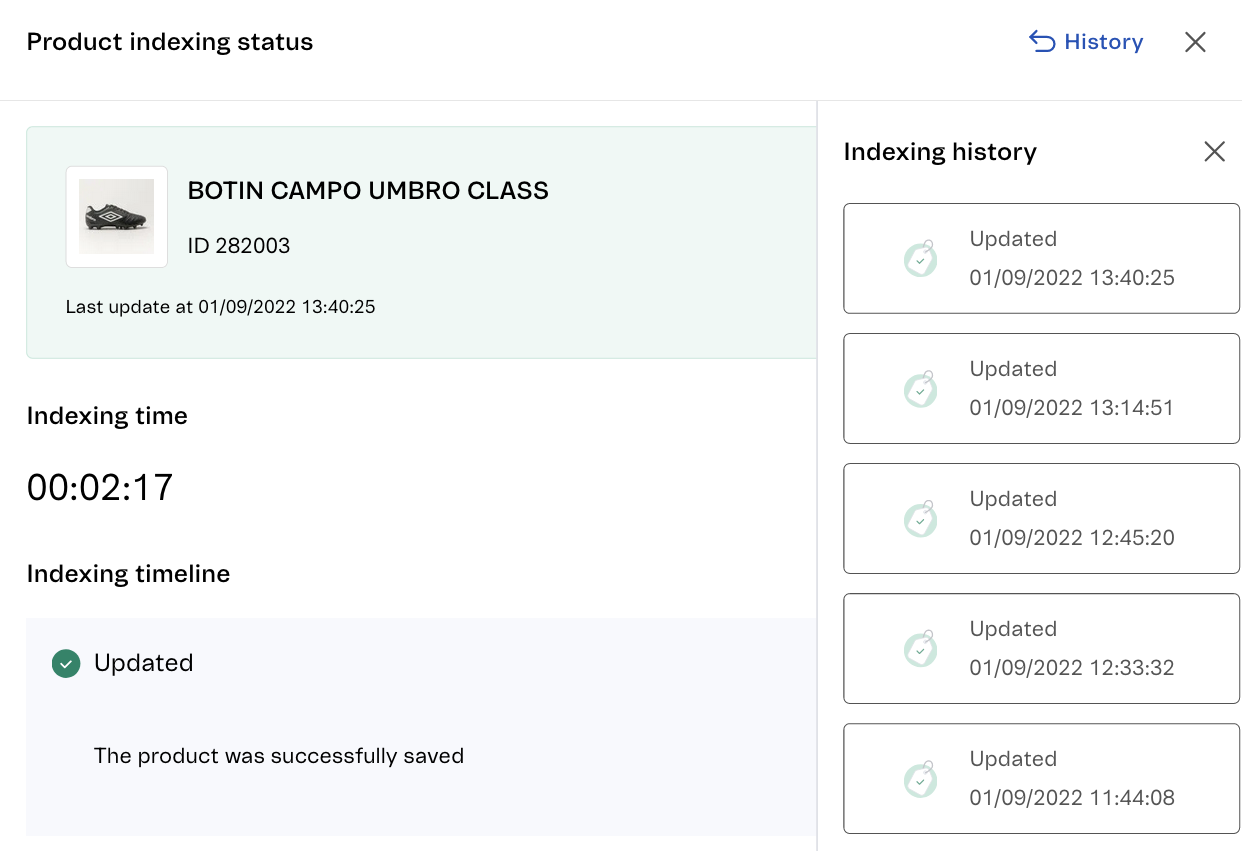"}
. Select `Status` or `Indexing time` to set the filtering criteria. \n\n\n\nIf you filter by `Status` you can select which status you want to filter by, which could be `Updated`, `Updating`, `Error`.\n\n\n\nIf you filter by `Indexing time` you can select whether the time interval `Is greater than`, `Is equal to or greater than`, `Is shorter than` or `Is equal to or less than` a defined time.\n\n\n\nAfter defining the filter, click `Apply` to activate it. \n\nTo add a new filter, click `Add filter`. To remove the configured filters, click `Clear filters`.\n\nYou can also filter the products displayed in the listing by **ID**, **Last update** and **Status**, by clicking on the desired column. To find a specific product in the list, you can search by ID in the search bar.\n\nIf you want more information about the indexing of a specific product, you can click on the product row in the table to access a page that contains more details, as illustrated below.\n\n\n\nIn addition to the information displayed in the product list, you can also see:\n\n* **Indexing time:** Is an entry of how long the product indexing lasted using the `hh:mm:ss` format.\n* **Indexing timeline:** Shows a log of every status change with date and time. You can view more details of each step by clicking the icon.\n\n\n\nYou can access the product **Indexing history**, a list with the date and time of each update performed. Therefore, it is possible to have a record of every change that was made to the product. To access it, click `History`. \n\n"}