{"section":"tutorials","requestedLocale":"en","requestedSlug":"synonym-list","locale":"en","slug":"synonym-list","path":"docs/en/tutorials/intelligent-search/synonyms/synonym-list.md","branch":"main","content":"The **Synonyms** page allows you to view and manage all Intelligent Search [synonyms](/en/docs/tutorials/synonyms) added to your store. You can access it in the VTEX Admin by clicking **Storefront > Intelligent Search > Synonyms**.\n\n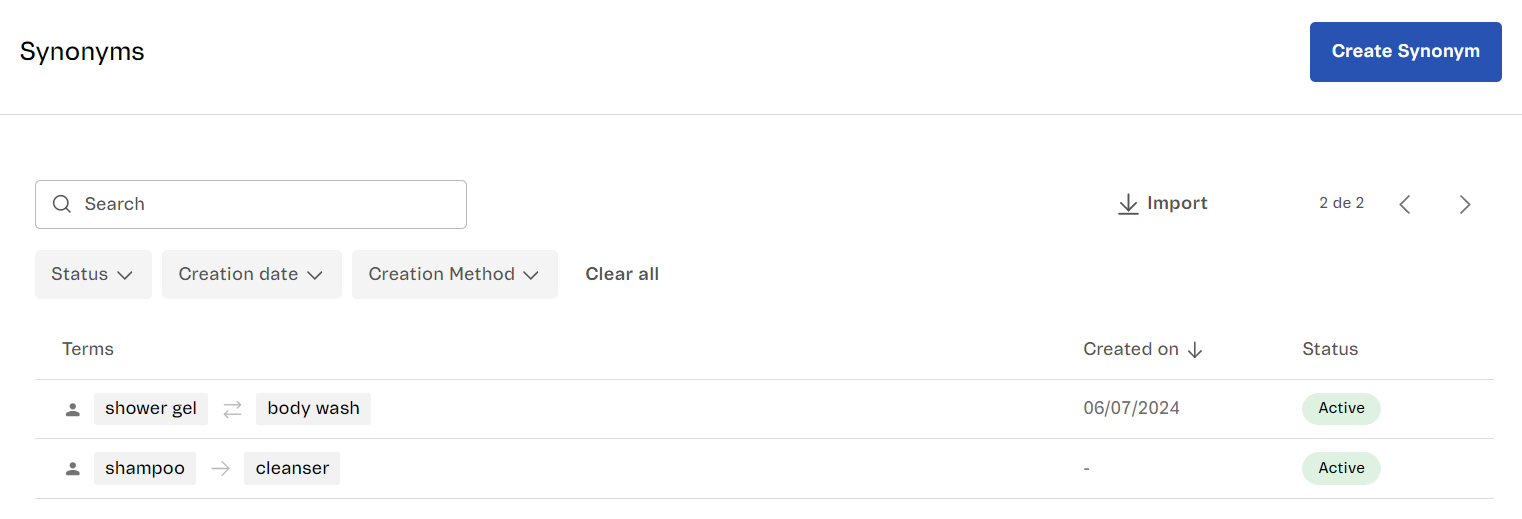\n\nThe page displays the following information in a table: \n\n
\n \n
\n
Column
\n
Description
\n
\n \n \n
\n
Terms
\n
\n Terms set as synonyms and the type of synonym:\n
\n
Bidirectional
\n
Unidirectional
\n
\n Learn more in the\n [Types of synonyms](/en/docs/tutorials/synonyms#types-of-synonyms) article.\n
\n
\n
\n
Created on
\n
Synonym created date.
\n
\n
\n
Status
\n
\n Synonym status, which can be:\n
\n
Active
\n
Inactive
\n
\n
\n
\n \n
\n\nThis page allows you to do the following: \n\n- [Create synonyms](#creating-synonyms)\n- [Import synonyms](#importing-synonyms)\n- [Search for synonyms](#searching-for-synonyms)\n- [Filter synonyms](#filtering-synonyms)\n- [Edit synonyms](#editing-synonyms)\n- [Delete synonyms](#deleting-synonyms)\n\n## Creating synonyms\n\nYou can create synonyms individually by clicking the `Create Synonym` button. Follow the instructions described in [Configuring synonyms](/en/docs/tutorials/creating-synonyms#creating-synonyms-individually).\n\n## Importing synonyms\n\nYou can create synonyms in bulk by importing a CSV file using the` Import` button. Check out the instructions in the [Configuring synonyms](/en/docs/tutorials/creating-synonyms#importing-csv) article to learn about the spreadsheet template and how to upload it. \n\n## Searching for synonyms\n\nThe Synonyms page allows you to search for any term configured as a synonym using the search bar. The synonyms listed are updated automatically.\n\n## Filtering synonyms\n\nYou can filter the synonym list using the following options: \n\n* **Status**\n * Active\n * Inactive\n* **Creation date**\n * Today\n * Yesterday\n * Last 7 days\n * Last 15 days\n * Last 30 days\n * Last 3 months\n * Last 12 months\n\n## Editing synonyms\n\nTo edit an existing synonym, click its corresponding row in the synonym list. Learn more about the editable fields in the [Configuring synonyms](/en/docs/tutorials/creating-synonyms#creating-synonyms-individually) article. \n\n## Deleting synonyms\n\nTo delete a synonym, follow the steps below:\n\n1. Hover over the synonym row.\n2. Click the trash can icon .\n3. Click `Delete` to confirm."}